New experimental feature: Live Translations (On Device) - Plus a Fresh Icon Pack and More
This release is a special one for us because it includes an early preview of a new experimental feature: Live Translations.
Live Translations: read comics in any language
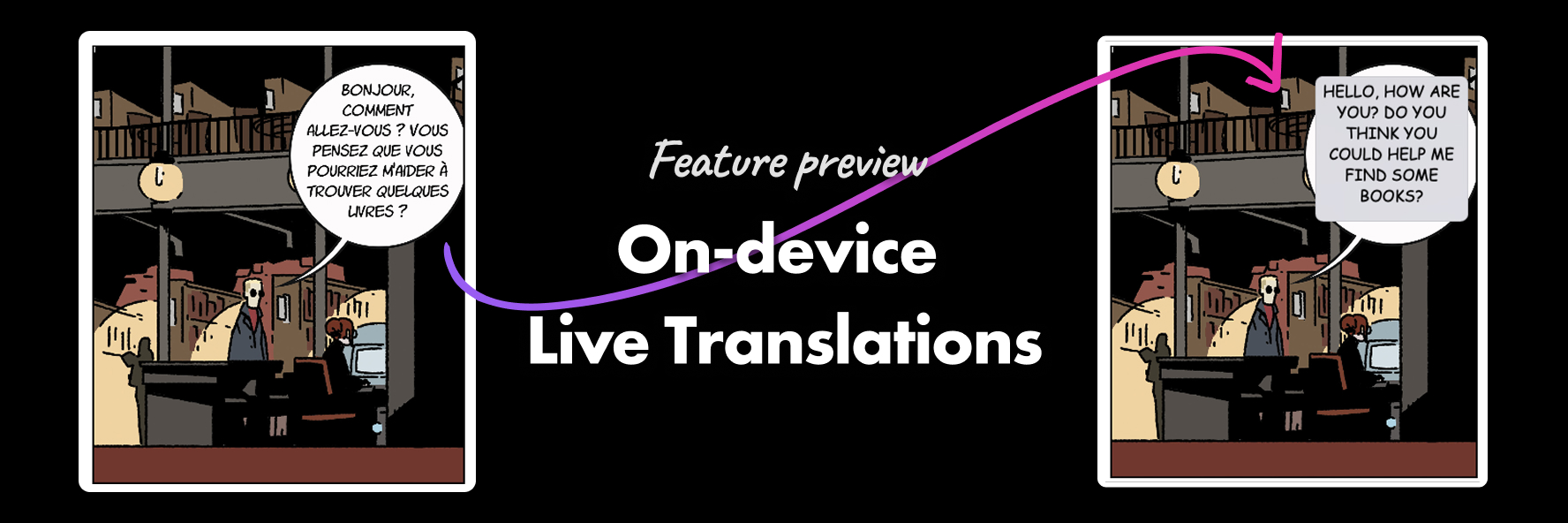
Live Translations lets you translate a comic page without sending anything to a server. It uses on-device text translations (introduced in iOS 18 and MacOS 26). Here is a short video showing how to set it up and how to it works in action.
Panels will detect the text and location on the page, translate it on your device (iPhone, iPad, or Mac), then overlay the translated text back into the original speech bubbles so you can keep reading naturally.
Live translations is an experimental feature. These are lower priority features for us, we like to let user play with them and share feedback with us. This let us shape them for possibly release them in the future. We may also decide to remove them in the future, as well as include them in any new major version of Panels paid features. Remember to enable it from Panels Labs!
New icon pack: Pastel
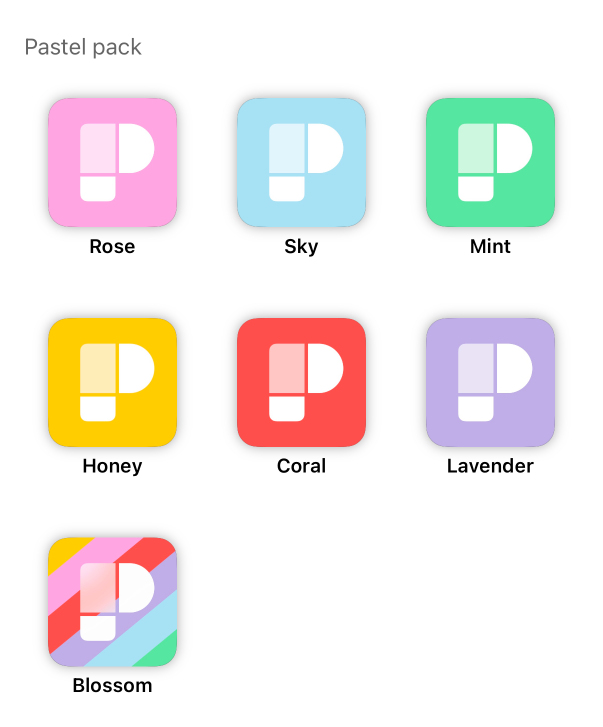
We also added a new icon pack called Pastel. It’s a set of soft, springy icons designed to look great on your Home Screen and give Panels a lighter vibe.
New: News section
There’s now a News section inside Panels, a dedicated place to keep up with updates and announcements.
Bug fixes and improvements
This build also includes a bunch of stability and quality fixes:
- Fixed a crash that could happen when opening the app, and improved launch time
- iCloud reading sessions now sync properly across devices
- Fixes around tapping the sides to advance to the next comic
- Fixed blank cells in languages other than English
Thanks for reading, and if you try Live Translations, we’d love to hear what works, what doesn’t, and which languages you’re most excited to read.